
YouCam’s Valentine AI Effects: Turn Selfies Into Viral Love Moments
YouCam’s Valentine AI Effects: Turn Selfies Into Viral Love Moments
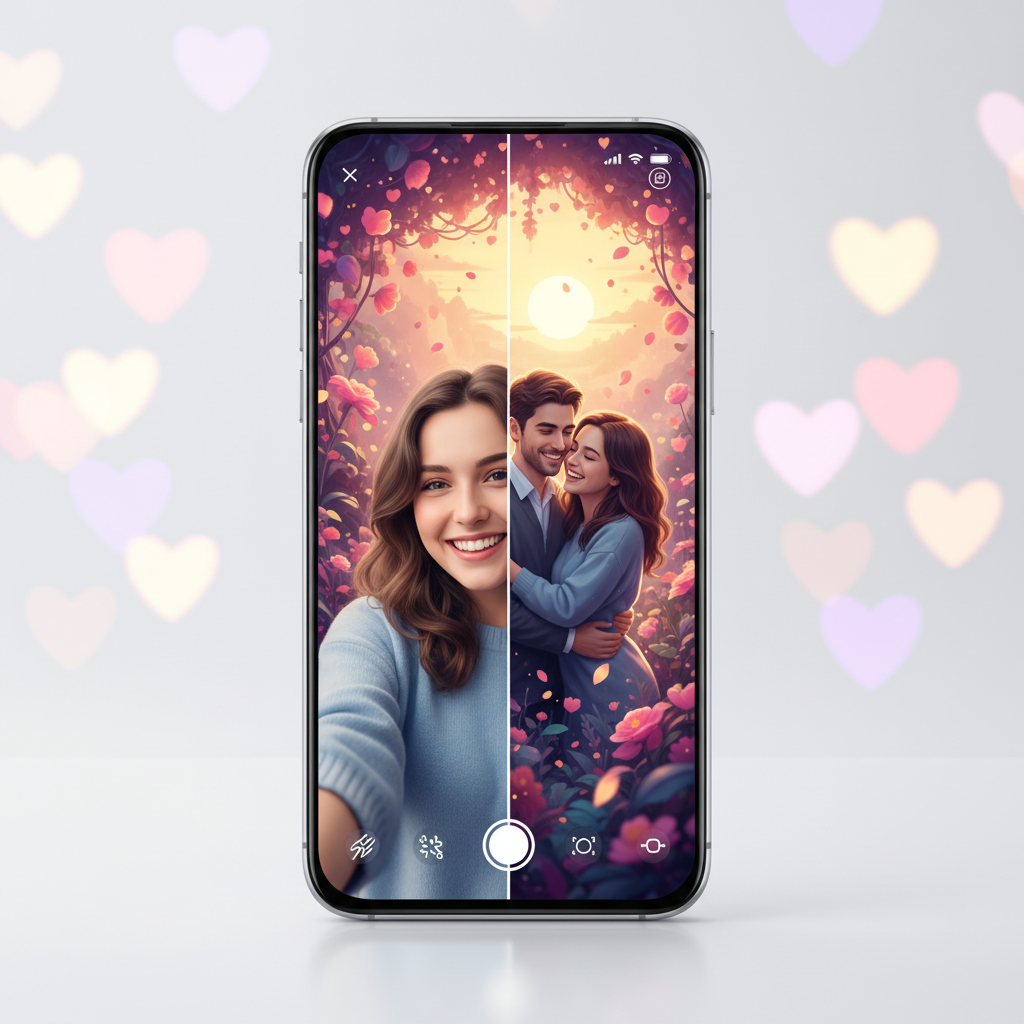
YouCam has launched a suite of Valentine AI effects designed to transform ordinary selfies into extraordinary, shareable expressions of love. This update spans their popular apps, including YouCam Makeup, YouCam Perfect, YouCam Video, and YouCam AI Pro. The AI-powered features aim to spark creativity and romance for users worldwide.
The new tools go beyond simple filters. They use advanced artificial intelligence to generate personalized, romantic content. From AI-generated couple portraits to enchanted video backgrounds, these features make it easy to create professional-looking content for Valentine’s Day and beyond.
> Featured Snippet: YouCam’s new Valentine AI effects use generative AI to create personalized romantic content. Available across their app suite, features include AI Couple Portrait, Love Theme templates, and AR beauty filters, turning simple selfies into highly shareable love-themed moments for social media.
What Are YouCam’s New Valentine AI Effects?
YouCam’s Valentine update introduces a specialized collection of AI-driven tools. These features are built to understand and enhance romantic themes. The core technology uses generative AI and augmented reality to create magical results from a single selfie.
The effects are not static filters. They are dynamic activations that can generate entirely new artistic scenes. This allows users to create content that feels both personal and fantastically shareable for the season.
The update is available across four key apps: YouCam Perfect for photo editing, YouCam Makeup for AR beauty, YouCam Video for clips, and YouCam AI Pro for advanced creation. This integrated approach provides a complete creative toolkit.
Key Features in the Valentine AI Suite
The Valentine suite packs several standout features. Each is designed to tackle a different creative need for users celebrating love and connection.
* AI Couple Portrait: This feature can generate a realistic portrait of you and your partner from a single solo selfie. The AI intelligently creates a second person, styling them for a perfect couple’s shot.
* Love Theme Templates: Dozens of new, professionally designed templates are available. They automatically apply romantic graphics, text, and layouts to your photos.
* AR Beauty & Makeup Filters: Special Valentine-themed AR filters add virtual blush, heart-shaped accents, and romantic makeup looks in real-time.
* Generative AI Backgrounds: Replace your background with AI-generated romantic scenes. Think candlelit dinners, Parisian streets, or enchanted gardens with a single tap.
How to Access and Use the Valentine Effects
Accessing these new effects is straightforward. First, ensure you have the latest version of your preferred YouCam app installed from the App Store or Google Play Store. The Valentine features are typically promoted on the app’s home screen or within a special seasonal category.
Using the effects follows a simple process. Open the app and look for the “Valentine” or “Love” themed icon. Select your desired feature, like the AI Couple Portrait. Then, upload or take a clear, well-lit selfie.
The AI will process the image and present you with several creative options. You can then customize the result with different styles, backgrounds, or text before saving and sharing your final creation directly to social platforms.
The Technology Behind the Magic: Generative AI & AR
The Valentine effects are powered by a combination of cutting-edge technologies. Generative AI is the star, capable of creating new image elements and scenes that don’t exist in the original photo. This is what builds a partner in the couple portrait or generates a dreamy background.
Augmented Reality (AR) plays a crucial role in the real-time beauty filters. AR maps your facial features precisely to apply virtual makeup, accessories, and animations that move naturally with you. This blend of generative and augmentative AI creates a seamless, magical user experience.
The processing happens both on-device and in the cloud, balancing speed and power. This complex technology is now accessible through a simple, user-friendly interface, democratizing high-end photo and video editing.
Perfect for Social Media: Creating Shareable Content
In today’s digital age, shareable moments are currency. YouCam’s Valentine effects are engineered for virality. The results are visually striking, emotionally resonant, and perfectly formatted for platforms like Instagram, TikTok, and Facebook.
The AI ensures every creation is unique and polished, increasing its potential to stand out in a crowded feed. The “shareability” factor is a core design principle, with easy one-tap sharing options built directly into the editing workflow.
Users can create cohesive content series—from teaser videos with AR effects to final AI-generated portraits. This provides a complete content strategy for individuals and influencers looking to engage their audience during the romantic season.
Comparison: YouCam Valentine AI vs. Standard Photo Filters
How do these AI effects differ from the filters you already use? The distinction is significant and highlights the power of modern AI.
| Feature | YouCam Valentine AI Effects | Standard Photo Filters |
| :— | :— | :— |
| Customization | Generates new, unique content (people, backgrounds) | Applies a uniform overlay to existing content |
| Personalization | Adapts to your specific photo and facial features | One-size-fits-all look |
| Output | Creates a new artistic asset | Alters the mood of the original asset |
| Best For | Creating original, standout content for social media | Quickly enhancing a photo’s colors or tone |
The key difference is creation versus alteration. AI effects build something new, while filters simply modify what’s already there.
Real-World Use Cases and Applications
Who can benefit from these tools? The applications are wider than you might think.
* Long-Distance Couples: Create beautiful couple portraits even when you’re miles apart. The AI Couple Portrait feature helps visualize togetherness.
* Social Media Influencers: Produce a high volume of engaging, thematic content quickly. The AI tools save hours of manual editing and design work.
* Event Planning & Marketing: Small businesses or event planners can create compelling Valentine’s Day promotional materials using branded templates.
* Friends & Family: Anyone wanting to send a personalized, creative Valentine’s greeting that goes beyond a standard card.
For those exploring the broader landscape of creative AI, our AI Tools Guide details how apps like YouCam compare to other generative software.
FAQ: Your Questions Answered
How much do the Valentine AI effects cost?
The features are part of the YouCam app updates. Many are free to try, but premium effects and full-resolution exports typically require a subscription to YouCam Premium or YouCam AI Pro. Check individual app details for specific pricing.
Do I need a photo of my partner for the AI Couple Portrait?
No, that’s the magic of the AI. The feature is designed to generate a realistic-looking partner from your solo selfie. You can, however, also use a photo of you and your real partner to enhance it artistically.
Are the AI-generated images private and secure?
YouCam states that user privacy is a priority. According to their policies, photos are processed securely. It’s always advisable to review the app’s privacy settings and terms of service to understand how your data is used.
Can I use these effects for holidays other than Valentine’s Day?
Absolutely. While themed for Valentine’s, the AI backgrounds and enhancement tools can be adapted for anniversaries, date night posts, or any romantic celebration. The underlying technology is versatile.
What devices are compatible with these new effects?
The update is available for both iOS and Android devices. You will need a relatively modern smartphone with a capable processor for the best real-time AR and AI generation experience. Check your app store for specific version requirements.