
Google Photos “Me Meme” Feature: Your AI-Powered Meme Factory Arrives
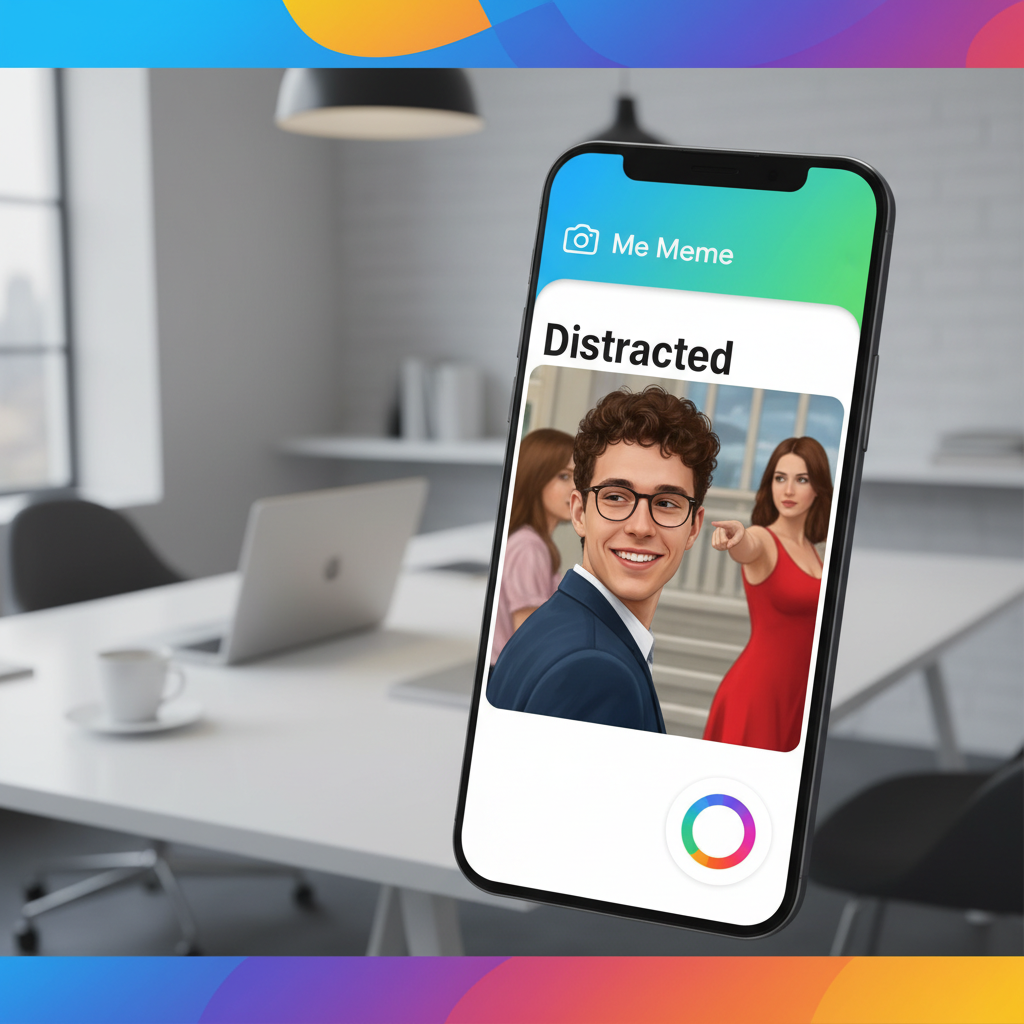
Google Photos “Me Meme” Feature: Your AI-Powered Meme Factory Arrives
Google Photos is transforming personal photo libraries into meme creation studios. The new “Me Meme” feature leverages generative AI to place users directly into popular meme templates.
This U.S.-first rollout signals Google’s deeper investment in AI-powered personalization. It moves beyond simple photo organization into creative content generation.
What Is the Google Photos “Me Meme” Feature?
The “Me Meme” feature is an AI tool inside the Google Photos app. It automatically generates personalized memes using your own photos.
The feature identifies suitable images of you from your library. It then seamlessly inserts your face and name into trending meme formats.
The process is fully automated by Google’s AI. You select a meme template, and the tool does the rest, handling cropping and placement.
How to Use “Me Meme” in Google Photos
Using the new feature is designed to be simple and intuitive. First, ensure your Google Photos app is updated to the latest version.
Open the app and navigate to the “Utilities” section. Look for the new “Me Meme” card or option among the creative tools.
Select a meme template from the available gallery. The AI will then scan your library for appropriate photos of you to populate the meme.
Review the AI-generated meme, customize text if desired, and share. The entire process takes just a few taps from start to finish.
Availability and Rollout Details
Currently, “Me Meme” is available only to users in the United States. Google typically uses staged rollouts for new features.
It may take a few days or weeks to appear on all devices. The feature requires the latest version of the Google Photos app.
Access is free for all Google Photos users. No subscription to Google One or other services is necessary to use this AI tool.
The AI Technology Behind “Me Meme”
“Me Meme” is powered by Google’s advanced generative AI models. These are the same foundational technologies behind features like Magic Editor.
The AI performs complex tasks like facial recognition and semantic understanding. It must identify you specifically among thousands of photos.
It also understands meme context to choose appropriate expressions. Finally, it executes realistic image compositing for a believable result.
Privacy and Data Usage Considerations
Google states that all AI processing for “Me Meme” happens on-device where possible. This means your photos may not need to leave your phone for basic meme creation.
For more complex edits, secure server-side processing might be used. User data is governed by Google’s standard privacy policies.
You maintain full control over the final creation. Memes are not automatically shared unless you choose to do so.
Creative Use Cases for Personalized Memes
Personalized memes are perfect for sharing inside jokes with close friends and family. They add a new layer of humor to group chats and social media stories.
They can also be used for lighthearted self-expression in digital communications. Imagine sending a “Distracted Boyfriend” meme with your own face to react to a new gadget.
Brands and creators can use this for engaging, relatable content. It offers a fresh way to connect with audiences using familiar humor formats. For more innovative applications, explore our AI Tools Guide to see how these features compare.
“Me Meme” vs. Other AI Photo Tools
How does “Me Meme” stack up against other creative AI features? It’s more specialized than broad tools like Magic Eraser or Portrait Light.
Unlike AI image generators that create from text, “Me Meme” remixes your existing content. It focuses on humor and cultural relevance rather than photographic perfection.
Its key advantage is seamless personalization. Other apps might let you make memes, but not with this level of automated, AI-driven self-insertion.
Potential Impact on Social Media and Digital Communication
This feature could shift how people engage with meme culture. Moving from passive consumption to active, personalized creation lowers the barrier to entry.
It encourages users to see themselves as content creators. This aligns with broader trends in user-generated content and digital identity.
Memes created with “Me Meme” are likely to feel more authentic in personal networks. They could increase engagement in private messages and close friend circles.
Future Developments and Expected Features
Google will likely expand “Me Meme” with more templates and customization options. We can expect regional meme formats as the feature rolls out globally.
Future updates may include video meme support or multi-person meme generation. Integration with other Google services, like posting directly to YouTube Shorts, is possible.
The underlying AI will become faster and more accurate. Template libraries will be updated to reflect real-time trending memes.
Frequently Asked Questions (FAQ)
Is the “Me Meme” feature free to use?
Yes, the “Me Meme” feature is completely free. It is included within the standard Google Photos app at no additional cost. No Google One subscription is required.
What Android or iOS version do I need?
You need the latest version of the Google Photos app. Ensure your device’s operating system is also reasonably updated for optimal performance. Check the Google Play Store or Apple App Store for updates.
Can I use photos of other people in “Me Meme”?
The feature is designed to automatically find photos of you. It uses Google’s face grouping technology. Creating memes with other people as the primary subject may not be supported in this automated workflow.
How does Google choose which photos to use?
The AI scans your library for clear, well-lit photos where your face is recognizable. It likely prioritizes recent images and those already tagged as “You” in Google Photos’ People album.
Where can I share the memes I create?
You can share your “Me Meme” creations to any platform that accepts images. This includes messaging apps like WhatsApp, social media like Instagram, or via email. The app provides standard sharing options.